This page explains what an entity is, how to plan your entities before you create them, and how to create and manage them day to day. It is written for internal team members and customer administrators.
If you are new to how a solution is structured, read the administrative area overview first. This page assumes you know where entities sit in relation to Organisation, Site, Teams and Taxonomy.
An entity is the basic unit a Site is divided into. It is the anchor that catalogue, pricing, user access and permissions are all attached to.
A user does not act on a Site in general. They act within one or more entities, and the entity they are working under decides which catalogue they see, which prices apply, and what they are allowed to do. In other words, an entity is a scoping boundary: the compartment inside a Site that lets you run different catalogues, pricing and access rules side by side without them bleeding into each other.
What each entity represents in the real world is up to you. The compartment itself is the entity.
This is the most important step, and it happens before you create anything.
Because an entity is the anchor for catalogue, pricing, access and permissions, entities are quick to create but awkward to restructure later. Moving, merging or splitting an entity affects everything attached to it. It is far easier to decide your whole entity structure up front than to unpick it once teams, pricing and orders are live.
Work through these questions before you create your first entity:
What will each entity represent, and how granular do you need to be? Fewer, broader entities are simpler to manage; more, narrower entities give you finer control over catalogue, pricing and access.
Which entities will share the same taxonomy, and which need their own?
How will you group them? Entity Groups let you bundle entities so that Teams can be granted access in bulk rather than one entity at a time.
Which Teams need access to which entities?
What naming convention will you use? Consistent names drive how entities sort, search and report once you have a lot of them, so agree the pattern before you start.
A short structure document, even a simple list of your planned entities, groups and which taxonomy each one uses, will save a lot of rework.
Make sure the following are in place before you create an entity:
A taxonomy. Every entity requires a taxonomy, so the taxonomy must exist before you create the entity, or be set up as part of creating it. Deciding which entities share a taxonomy and which need their own is a structural decision, so settle it during planning rather than at creation time. [CONFIRM: whether an entity uses exactly one taxonomy or can be assigned more than one]
The Site the entity belongs to. If needed, but can be across the organisation
The Entity Group the entity should belong to, if you are grouping entities for Team access.
Following this order avoids dead ends where a later step needs something that does not yet exist:
Set up the taxonomy the entity will use, or confirm the existing one is ready.
Create the entity and assign that taxonomy.
Add the entity to the relevant Entity Group.
Grant the appropriate Teams access to the entity.
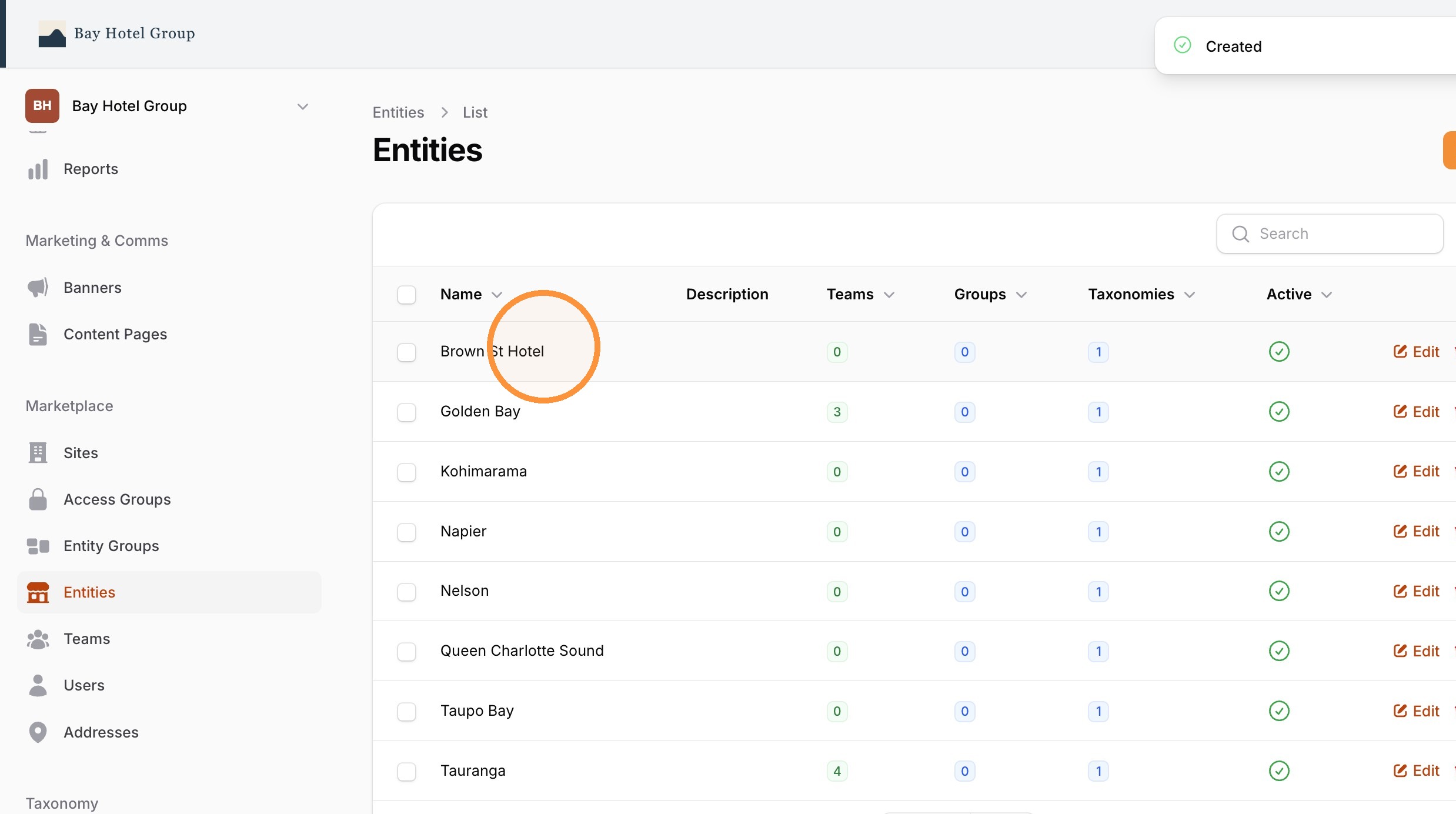
Navigate to Entities from your organisation admin
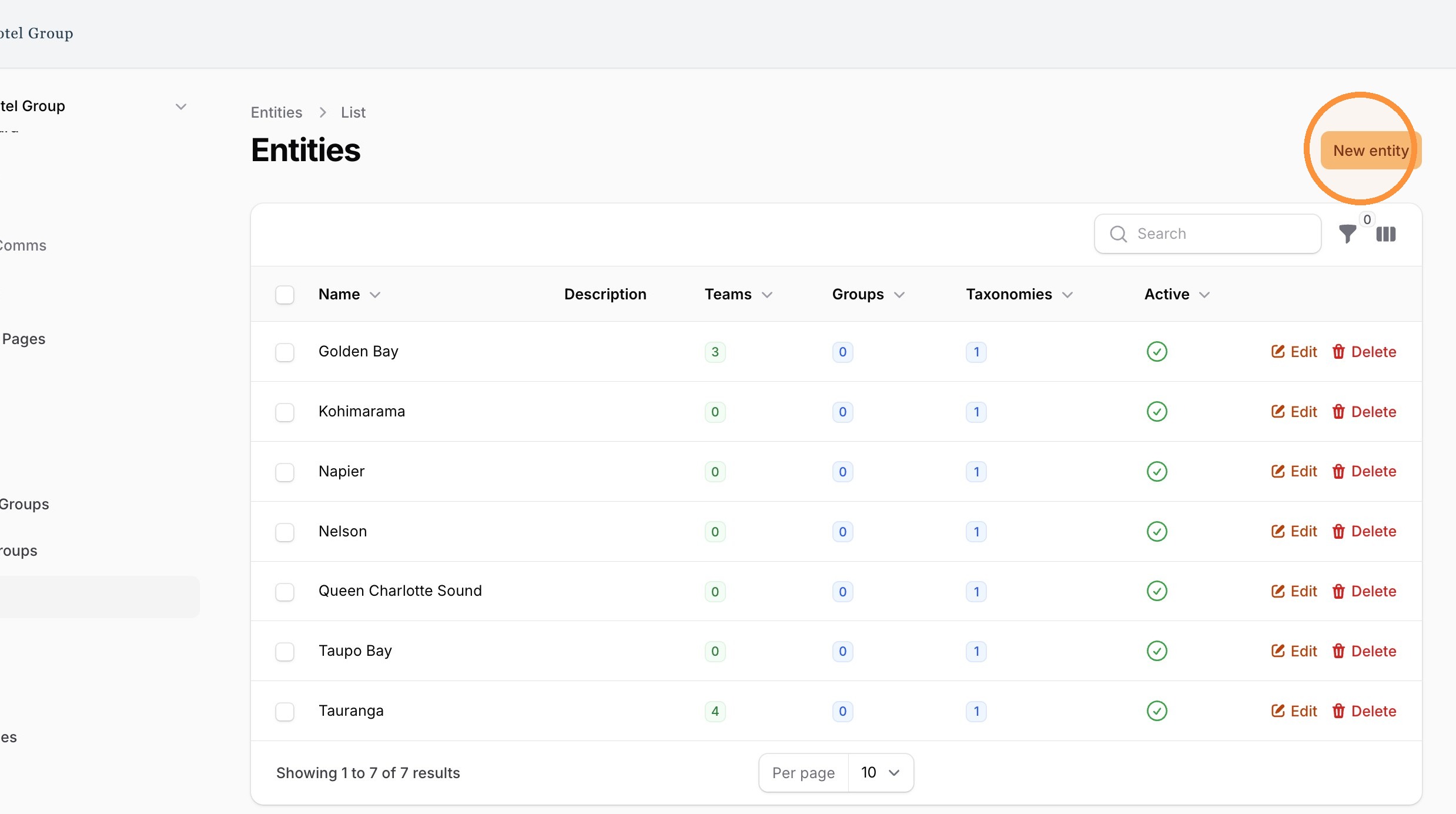
2. Click "New entity"
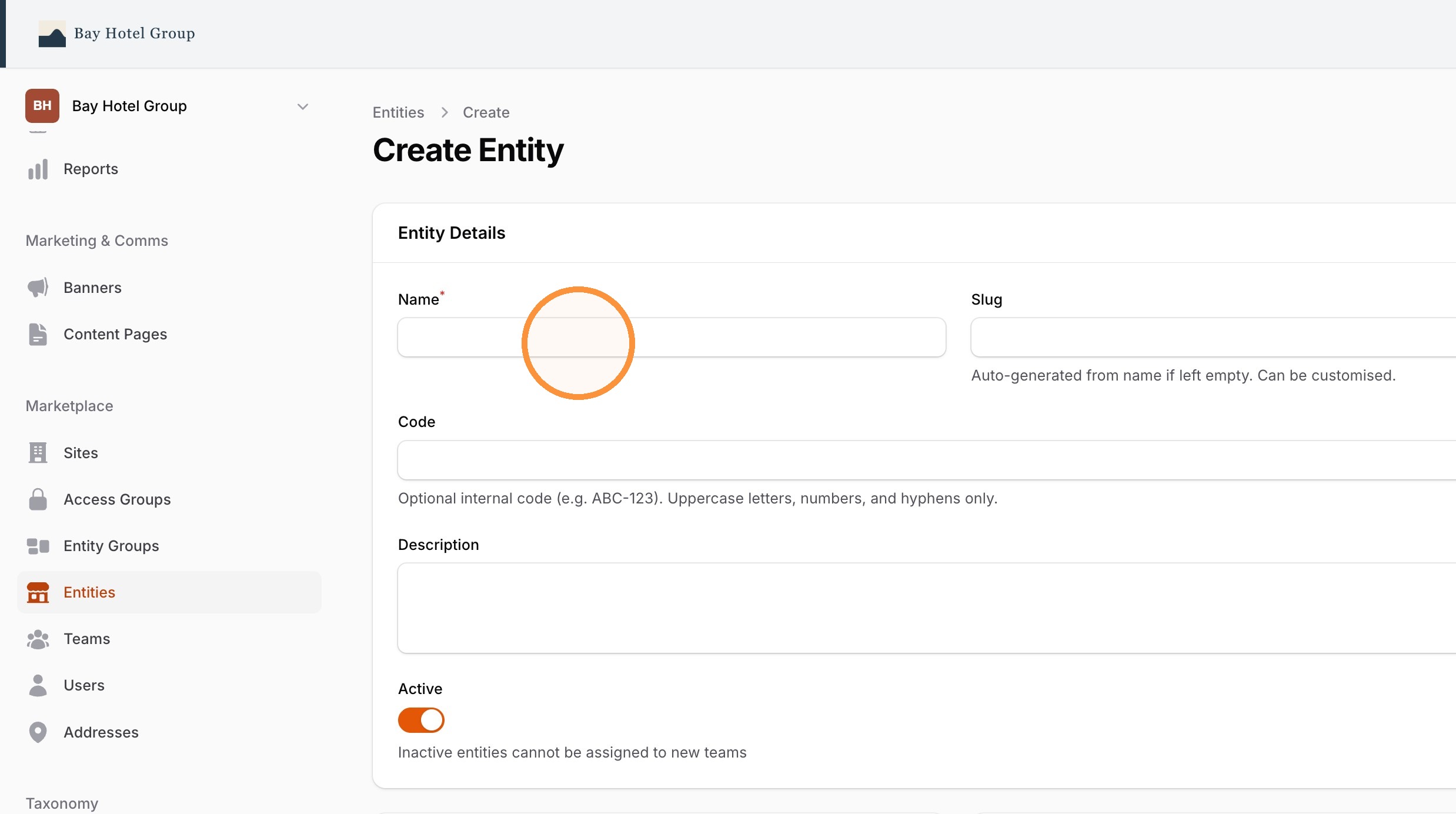
3. Type the entity name, e.g "Brown St Hotel" in Name field and a code in the Code field, e.g "BSH"
Entity codes are often used to connect to external systems as a unique identifier.
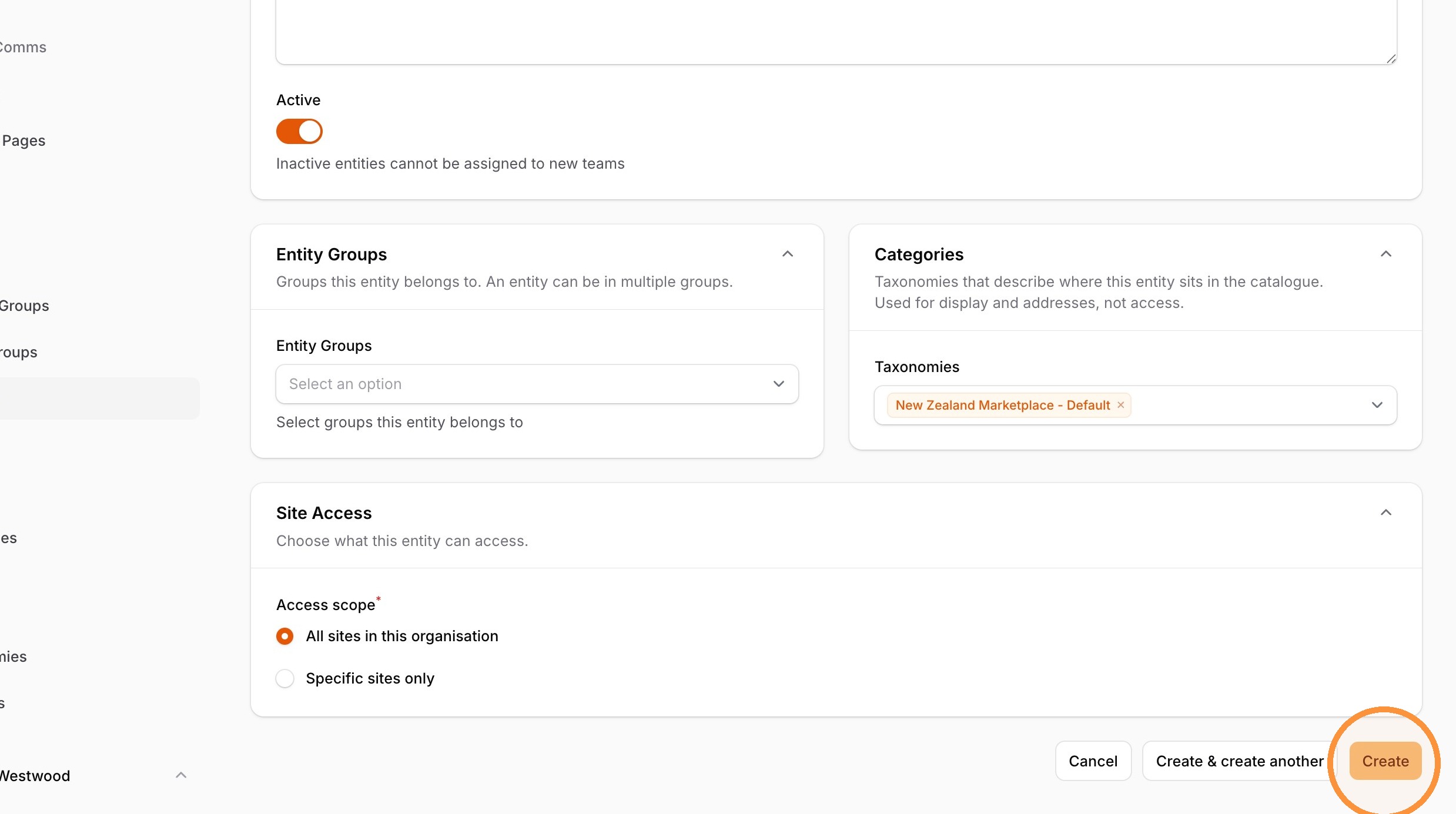
4. Configure the entities access to Taxonomies, Entity Groups and Site.
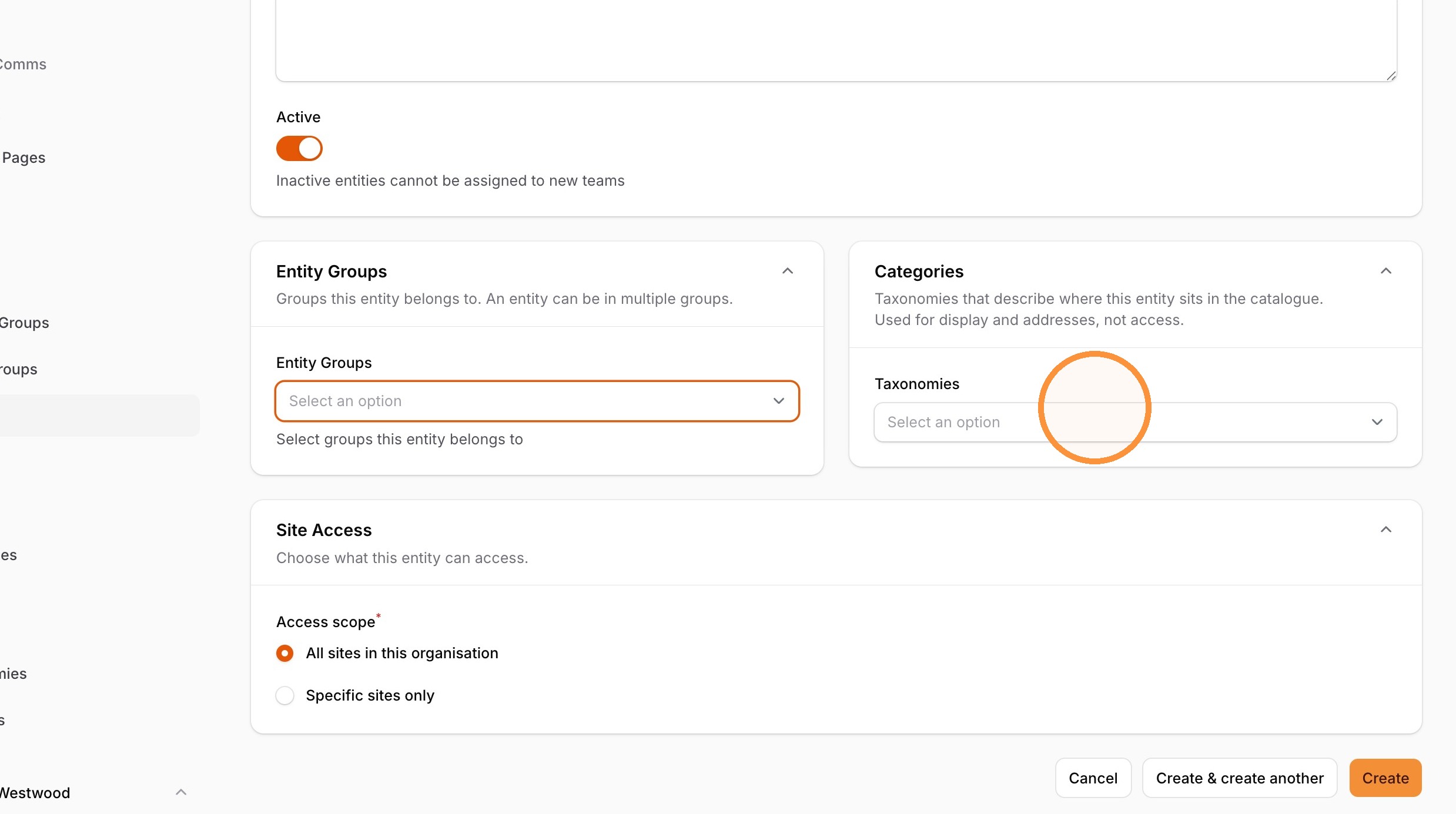
The entity is setup to be active be default.
5. Click "Create"
6. View in the list of Entities.